EnConvert vs Apify: Web Extraction APIs Compared for AI Agents
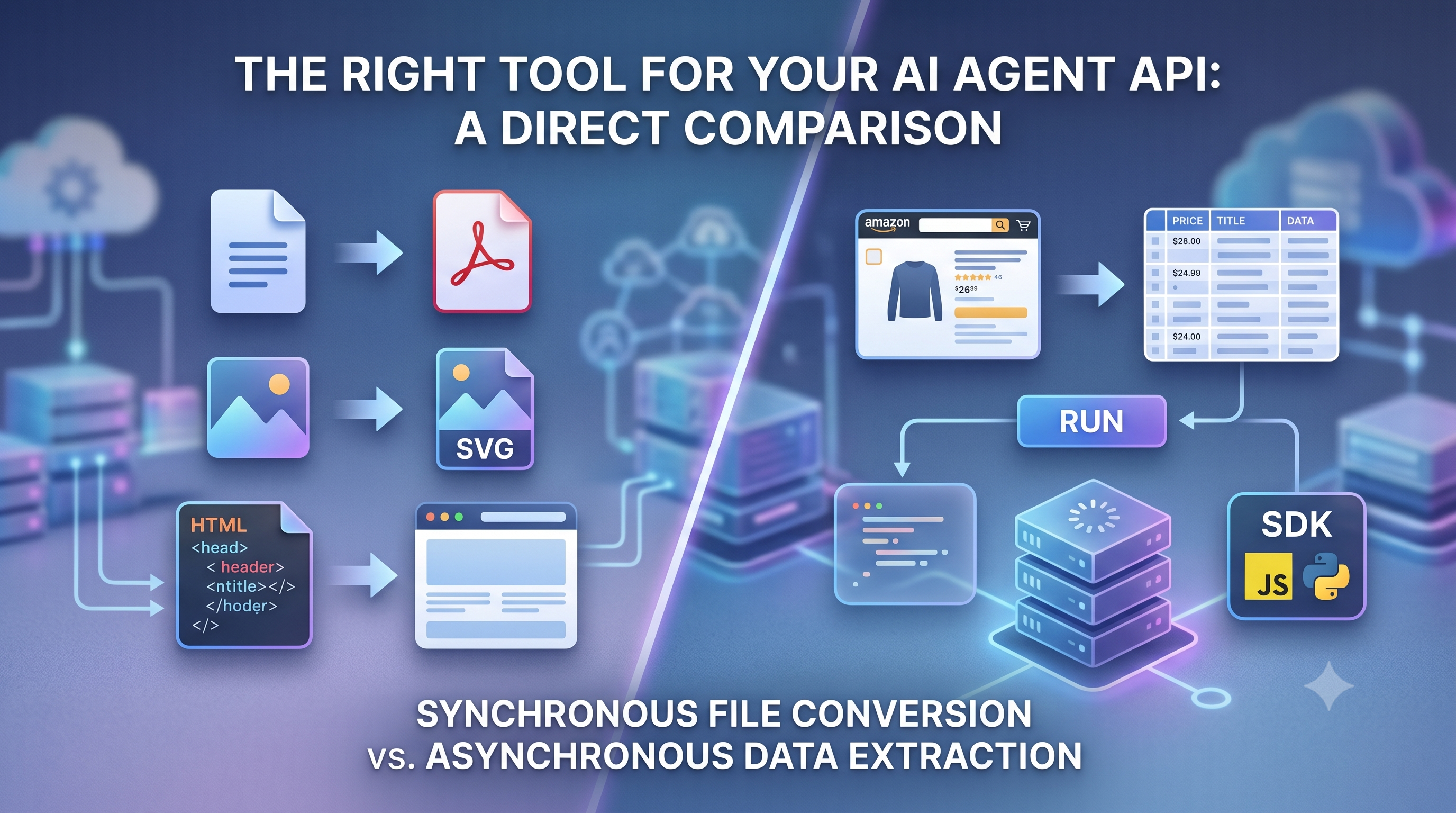
You'd think picking an API for an AI agent should be straightforward. It isn't. EnConvert and Apify both show up early in the search, both interact with web pages, and more than a few posts treat them as alternatives for the same job. They're not. Wire the wrong one into your pipeline and you'll either hit a billing number you didn't see coming, or you'll spend an afternoon figuring out that the tool you picked simply wasn't built for the job.
Under the surface, both are built around different primitives. EnConvert takes files and URLs and turns them into portable outputs. Apify enables you to extract structured data from websites at scale. The overlap is real but narrow. While they seem to converge, both can accept a URL and return something useful, the underlying architecture, billing model, and operational shape are different enough that choosing based on surface similarity is how teams end up migrating six weeks into production. One is a conversion API built around synchronous, predictable, pre-unit billing. The other is a scraping platform which is built around containerized jobs, proxy infrastructure, and async execution. Both are well constructed for what they do. Neither of them is a substitute for the other.
The quick map of how each platform works
The two split cleanly on their core primitive.
EnConvert
EnConvert is a conversion API with 45+ endpoints. You hand it a URL, an HTML file, a Word document, or a data payload, and it hands back a PDF, a screenshot, or a transformed file. The billing unit is one conversion- one URL to PDF, one URL to screenshot, one DOCX to PDF, one Image format transform. Every endpoint costs the same unit regardless of output complexity. Starter is $19 for 2,000 conversions ($9.50 per thousand). Business is $149 for 50,000 ($2.98 per thousand). Chrome-based rendering handles web capture. It is synchronous by default- POST a URL or a file, and it gives a converted output. There are no jobs to manage, no state to track in the agent unless you choose to opt into asynchronous mode for batch work.
Apify
Apify is a web scraping and browse automation platform. It runs serverless browser jobs called Actors against target websites and returns structured rows, datasets, and queued events. The billing unit is compute units- one CPU core running for one hour at 1GB of RAM. The platform also offers 20,000+ pre-built Actors in the Store covering the sites developers most commonly need data from. Starter tier is $29 a month- but the floor rises fast as soon as you scale up the compute units and Store Actor fees stack on top of each other. You use a maintained Actor from the marketplace or write your own using the JavaScript or Python SDK with Playwright or Puppeteer under the hood.
EnConvert: per conversion across a broad format surface
EnCconvert sits closet to a managed conversion API. It is the kind of service you reach for when the agent needs to produce a file or transform existing content into a portable format, rather than pull structured rows out of a third-party website.
The endpoint surface covers URL to PDF, HTML to PDF, URL to screenshot, document conversion across DOCX, XLSR, PPT, ODT, Pages, Numbers and Keynote. It also handles image conversion across roughly 20 formats including HEIC, WebP, SVG, and TIFF, along with data format transforms between JSON, XML, YAML, and CSV, and OCR for extracting text from images. You can get access to all of this through one account, one API key, and a single billing unit.
The URL to PDF and HTML to PDF endpoints support the options that matter in production: page size across A and B series plus Letter, Legal, Tabloid, and Ledger, alongside custom dimensions in millimeters. You can control portrait or landscape, configurable margins, use header and footer templates with page number and total page placeholders, include background graphics, and use a scale control for tables that run slightly wider than the page. The URL to screenshot endpoint handles full-page capture, viewport sizing, device emulation, and the common output formats. It also automatically takes care of cookie banners, lazy-loaded images, and sticky headers- the kind of edge cases that usually break most DIY setups.
EnConvert has some things that Apify doesn't: domain-locked public API keys that are safe for browser-side use, embeddable iframe widgets that you can drop into any webpage or WordPress install without needing a backend, and a flat per-conversion billing model that keeps the cost predictable regardless of document complexity.
To be straight about it: EnConvert does not extract information from websites. There is no Actor marketplace, no proxy rotation infrastructure, no scheduling system for recurring extractions, and it can't pull structured rows out of a JavaScript-heavy page that requires session state or login. If structured row extraction is the job, Apify is the right tool.
That said, if the web capture job requires exact visual fidelity — what the page actually looks like rendered in a browser — EnConvert is purpose-built for that. URL-to-screenshot and URL-to-PDF preserve the rendered page pixel-accurately, including layout, fonts, images, and dynamic content. For AI vision pipelines, design audits, layout archival, or visual QA on scraped pages, that output is meaningfully different from the text rows Apify returns. They answer different downstream questions.
How to use EnConvert
Integration is a standard HTTPS POST. The URL-to-screenshot endpoint takes a URL and returns a presigned download link for the captured PNG. Minimum viable request in cURL:
curl -X POST "https://api.enconvert.com/v1/convert/url-to-pdf" \
  -H "Content-Type: application/json" \
  -H "X-API-Key: YOUR_API_KEY" \
  -d '{"url": "https://example.com", "direct_download": true}'
Same thing in Python:
import requests

response = requests.post(
  'https://api.enconvert.com/v1/convert/url-to-pdf',
  headers={'X-API-Key': 'YOUR_API_KEY'},
  json={'url': 'https://example.com', 'direct_download': True}
)
Apify: compute units and a marketplace of 20,000+ scrapers
Apify sits in a different category entirely. The pitch is not file conversion- it is web data extraction at scale, with the platform handling the heavy infrastructure burden so you don't have to run it yourself.
The Actor model is the core concept. An Actor is a packaged job: Docker container with a JSON input schema and defined output format. You pick one directly from the Store- where you'll find maintained Actors for Amazon product pages, Google Maps listings, LinkedIn profiles, Instagram posts, TikTok videos, and most sites developers commonly need structured data from. From there, you just configure the input, run it, and pull structured rows from the resulting datasets via the Apify API. Alternatively, you write your own Actor using Crawlee, Apify's open-source scraping framework, utilizing Playwright for JavaScript-heavy pages or it's built-in HTTP crawler for simpler ones.
The platform handles what makes large-scale scarping genuinely hard: proxy rotation to avoid blocks, configurable RAM tiers per Actor, scheduling for recurring jobs, webhook callbacks when runs complete, and datasets storage with a REST API for pulling results into whatever downstream system the agent feeds. Plus, it is SOC 2 Type II certified on all paid tiers.
Apify's open-source SDK, Crawlee, is the path most developers take when writing their own scrapers. You just have to simply define a crawler, attach a request handler that runs against each page, and call crawler.run() with a list of seed URLs. Crawlee automatically takes care of the queue, the browser lifecycle, and the output storage. It runs completely locally- meaning no API token, no cloud billing, and no Actor marketplace involved. Compute unit billing only kicks in when you deploy that same code as an Actor to Apify's cloud platform.
To be straight about it: Apify does not convert files. Hand it a DOCX and ask for a PDF- there is no Actor for that. Hand it a raw HTML string and ask for a rendered PDF with custom margins and a page number footer. The platform is built around extracting data from websites, not transforming files between formats.
How to use Apify
import asyncio
from crawlee.crawlers import PlaywrightCrawler, PlaywrightCrawlingContext

async def main() -> None:
    crawler = PlaywrightCrawler()

    async def handle_request(context: PlaywrightCrawlingContext) -> None:
        await context.push_data({
            'url': context.request.url,
            'title': await context.page.title(),
        })
        await context.enqueue_links()

    await crawler.run(['https://crawler.dev'])
asyncio.run(main())
Pricing, side by side
Comparing pricing across these platforms is not easy. Apify charges based on a compute-unit and usage-credit model, where the final pricing depends on runtime, memory usage, proxies, and even the specific Actor being used. On top of that, some Actors also add pay-per-result or rental fees on top of platform usage.
Meanwhile, EnConvert works differently. It uses a more direct conversion-based pricing structure, where the users are typically charged according to the number of file or format conversions performed.
here's a rough cost comparison.
Service | Free Tier | Starts at | What you get | Billing unit |
|---|---|---|---|---|
100 conversions/mo | $19/mo | 2,000 conversions | Per conversion, all endpoints | |
$5 credits/mo | $29/mo | Usage-based compute credits | Compute units + proxy usage + Actor fees |
At the entry tier, Apify appears cheaper because of it's free $5 monthly credits and flexible pay-as-you-go model. However, that low starting point can be misleading- costs scale is based on compute usage, proxy traffic, and even individual Actor pricing, so the effective price per task varies widely depending on the workload complexity.
EnConvert, on the other hand, is different. It costs more at first because you have to pay a fixed fee every month, but it offers clear, predictable pricing per conversion. As you move to higher tiers, the per-conversion cost drops significantly, making it easier to estimate expenses and more cost-efficient for consistent, high-volume usage.
For teams running lightweight or experimental workloads, Apify's flexibility can be more economical. But as usage scales up, Enconvert's straightforward per-unit pricing becomes easier to manage and often more cost-effective.
What each service can actually do
Price matters less when the cheaper options can't cover the job. A capability grid focused on the features AI agent pipelines most often need:
Capability | EnConvert | Apify |
|---|---|---|
URL to PDF | Yes | Via Actor (indirect) |
URL to screenshot | Yes | Via Actor (indirect) |
HTML to PDF | Yes | No |
DOCX/ XLSX/ PPT to PDF | Yes | No |
Image format conversion | Yes | No |
JSON<-> XML/ CSV/ YAML | Yes | No |
OCR | Yes (upcoming) | Via Actor |
Large-scale structured web scraping | Yes (upcoming in V2) | Yes |
Pre-built scrapers for Amazon, LinkedIn, Google Maps | No | Yes- 20,000+ Actors |
Proxy rotation and anti-bot infrastructure | Yes (external dependency) | Yes |
Scheduled recurring extraction jobs | No | Yes |
Browser automation (clicks, form fills, auth flows) | Yes (upcoming in V2) | Yes |
Local scraping via open-source SDK (Crawlee) | No | Yes- free |
Domain-locked public API Key (browser side) | Yes | No |
Embeddable iframe widget | Yes | No |
MCP-native integration | Yes | Yes |
SOC 2 Type II | No | Yes- all paid tiers |
The capabilities are divided into two groups. EnConvert focuses on direct conversion features, offering built-in support for PDFs, file formats, OCR, and structured data without extra setup. Apify, on the other hand, is centered around web scraping and automating tasks, where most of the tasks are handled indirectly through its Actor ecosystem.
EnConvert is made for easy product integration, including client-side usage, while Apify is better for backend pipelines and large-scale data. So, when you have to decide, you need to think about what you need.
Picking by the Workload
Pricing tables and capability grid don't answer "Which one should I pick." A quick call by likely workload:
Agent converts documents, generated PDFs, or captures screenshots on demand: EnConvert. Synchronous response, flat per-conversion billing, MCP-native, no extra Actor cost. The playground runs conversions without an account- enough to confirm output quality on a real URL before signing up.
Agent scrapes structured data from third-party websites at scale: Apify. They have a maintained Actor library that covers most major sites. They handle things like proxy rotation, scheduling, and retry logic. You do not have to write the scrapers from the scratch.
Agent needs to capture what a web page visually looks like, for AI vision models, layout verification, visual monitoring, or design reference: EnConvert. URL-to-screenshot and URL-to-PDF return a pixel-accurate rendered output. Apify Actors return structured text; they don't produce a visual record of the page.
Team wants to write and run scrapers locally without cloud billing: Crawlee. It is free, open-source, which runs on your machine, and deploys to Apify's cloud when you are ready to scale.
Agent is embedded in a SaaS product and needs client-side conversion without exposing an API-Key: EnConvert. It has features like domain-locked public keys and embedded widgets which are not available on Apify.
Agent monitors a webpage on a schedule and triggers a downstream action when content changes: Apify. EnConvert watch endpoint is under active development still.
Agent does both- conversion documents and needs structured extraction from web pages: both, scoped to the respective job. Forcing either tool into the work which wasn't built for costs more than running two purpose-built services.
URL to PDF or file conversion at scale, past a few thousand conversions a month: EnConvert. $2.98 per thousand at the Business tier is the cheapest published per-unit rate for file and URL conversion in this comparison at that volume.
FAQ
Which billing model is cheaper for my workload?
The only honest answer is: you should model it before committing to anything. EnConvert's per-conversion billing makes cost predictable regardless of document complexity- one conversion is one conversion whether the HTML is a one-page invoice or a 40-page report. Apify's compute unit billing is a bit different. It means cost depends on what the Actor actually consumes per run, which varies by page complexity and RAM tier. Store Actor fees add a second variable on top of that. If the workload is local scraping with Crawlee, there is no billing at all until you deploy to the cloud. If the workload is conversion, the math is straightforward. If it is cloud-hosted scraping, run a representative batch through the free tier before picking a plan.
Can Apify generate PDFs from URLs?
Yes, indirectly. There are Actors in the Store that handle URL to PDF. The billing goes through compute units plus any Actor-level fees, and the setup is more involved than a single POST endpoint. If PDF generation is the primary job and scraping isn't in the picture, that overhead is hard to justify against a $19 entry point with flat per-conversion billing.
Can EnConvert scrape a JavaScript-heavy page and return structured rows?
Not as structured rows, no. EnConvert renders pages for conversion to PDF or screenshot — the output is a visual capture, not extracted data. If the pipeline needs both structured row extraction and a pixel-accurate visual reference of the same page, the answer is both tools scoped to each output: Apify pulls the rows, EnConvert captures the visual. For pure structured extraction, Apify and Crawlee are the right tools.
Is either free tier usable for production?
Realistically, neither cloud tier is. EnConvert's 100 conversions a month and Apify's $5 in monthly credits are both evaluation tiers- enough to confirm output quality and model costs, not enough to run a production pipeline. Crawlee is the exception: it is fully free for local use with no tier limits. The $19 and $29 entry points are the practical floor for anything running on managed cloud infrastructure in production.
Which integrates more easily with an n8n or LangChain pipeline?
Both support MCP and have n8n integrations. Enconvert's REST API fits naturally into an n8n HTTP node or a LangChain tool wrapper- one synchronous call, one file back. Apify has deeper native integration with both, partly because the async Actor pattern maps well to workflow automation steps. If the pipeline is already running Apify for scraping, the Apify LangChain toolkit is the path of least resistence. If it also needs file conversion, add EnConvert as a separate HTTP node.
Starting points
If the agent converts files or captures URLs, try the EnConvert playground first — no account needed. Paste a real URL, see if the output looks right, then move to the $19 Starter plan when you're ready. 14-day trial, no card on the free tier.
If the agent scrapes, start with Crawlee locally. pip install crawlee, point it at a seed URL, see if it does what you need. When you need the cloud — proxies, scheduling, scale — deploy to Apify's $29 Starter plan.
They're not fighting for the same job. Pick the one that fits.